 PG Compass
Look inside Postgres. Skip the IDE.
PG Compass is a small desktop app for the thing you do most with a database: open it and see what's there. Browse schemas, read rows, check an index, run a quick query, and get back to work.
Free and MIT licensed. No account, no telemetry. For Windows and Linux.
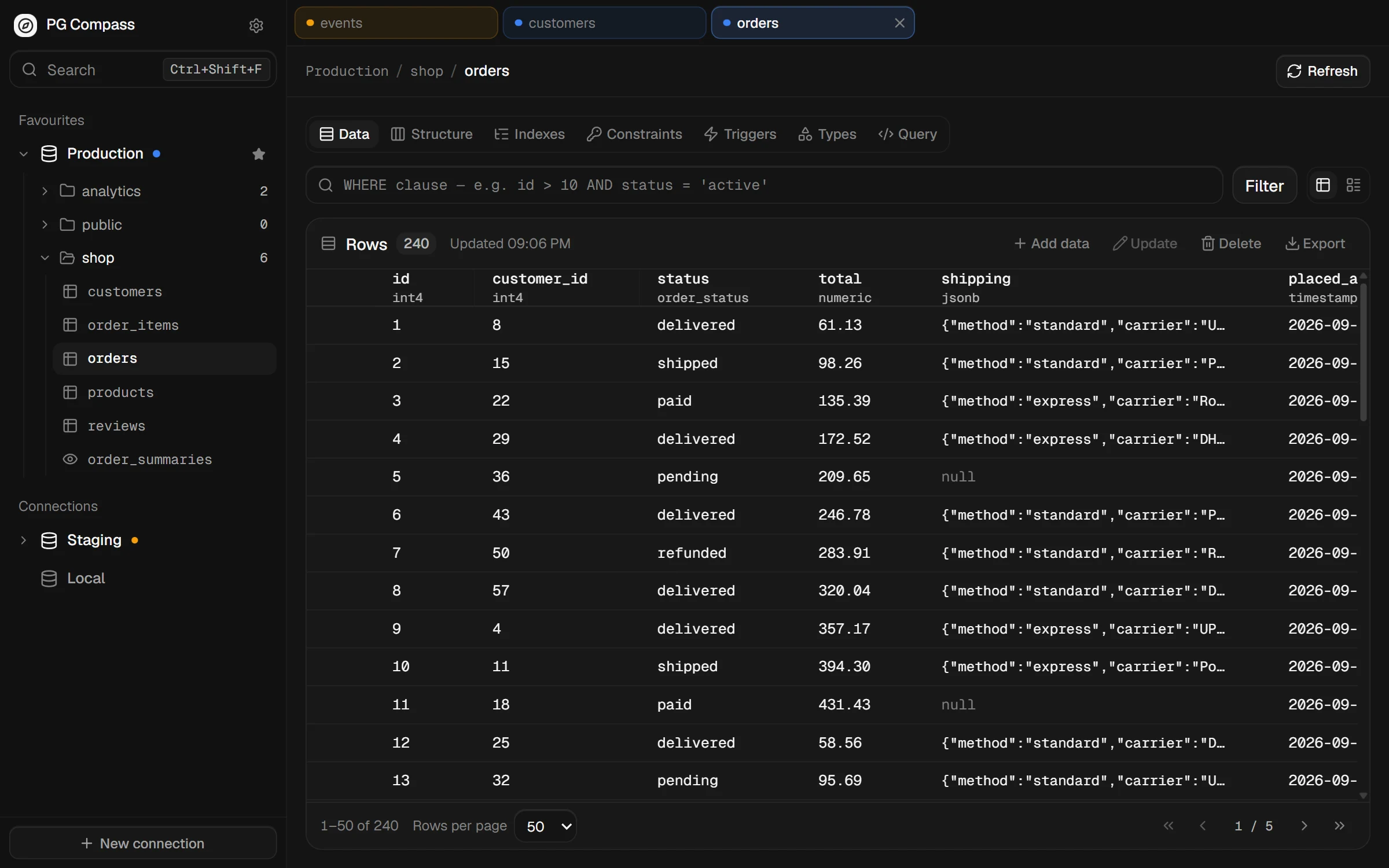
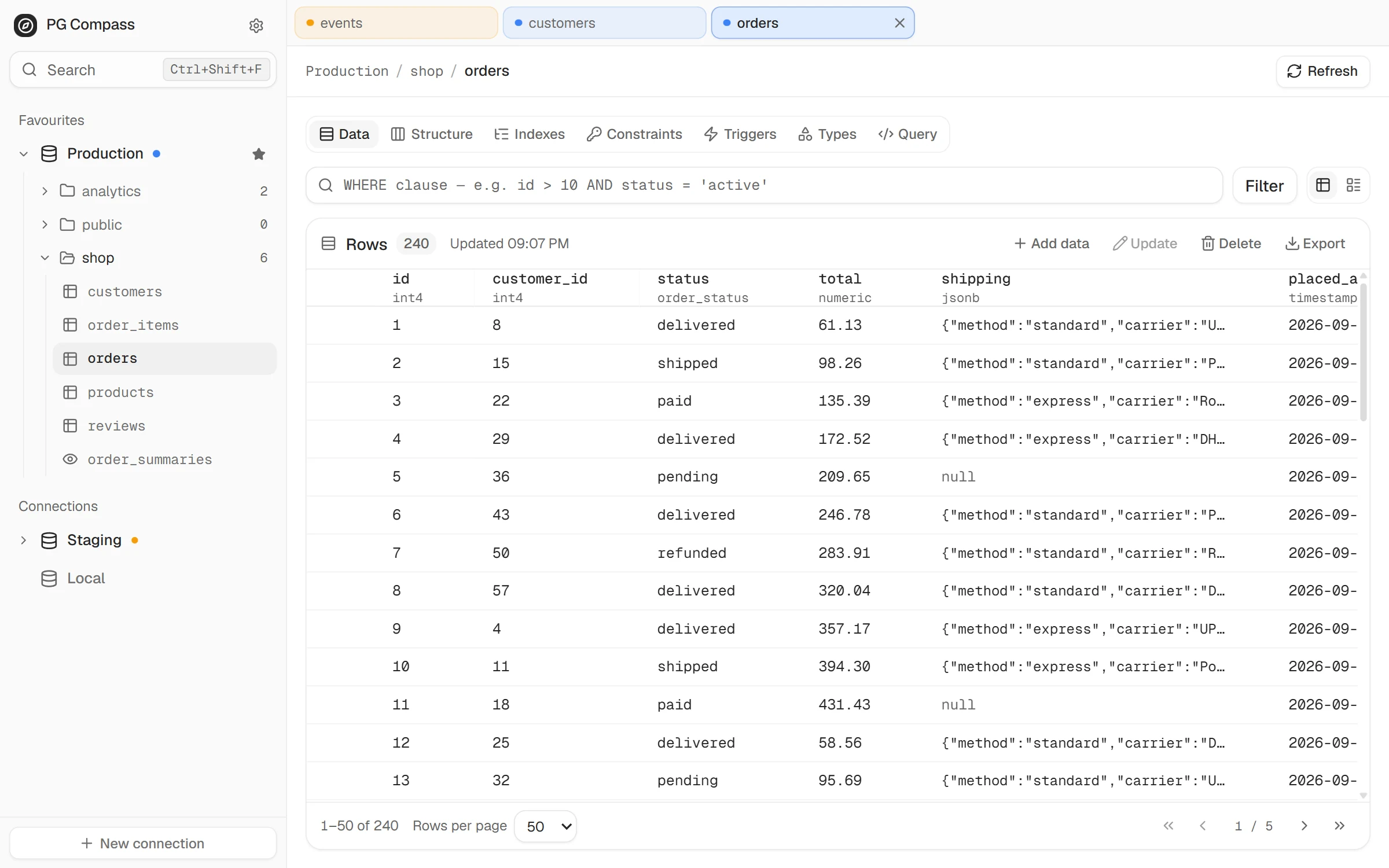
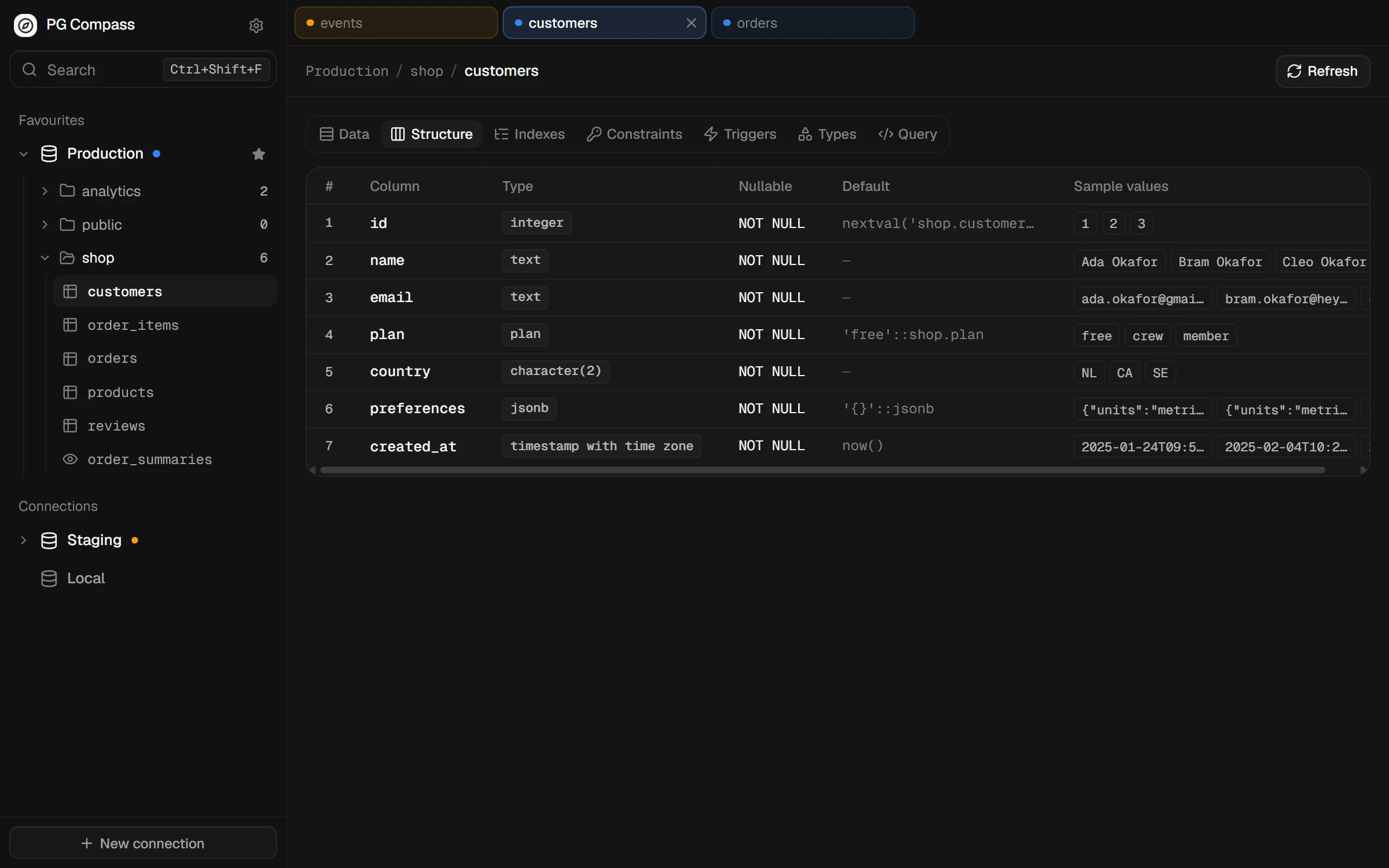
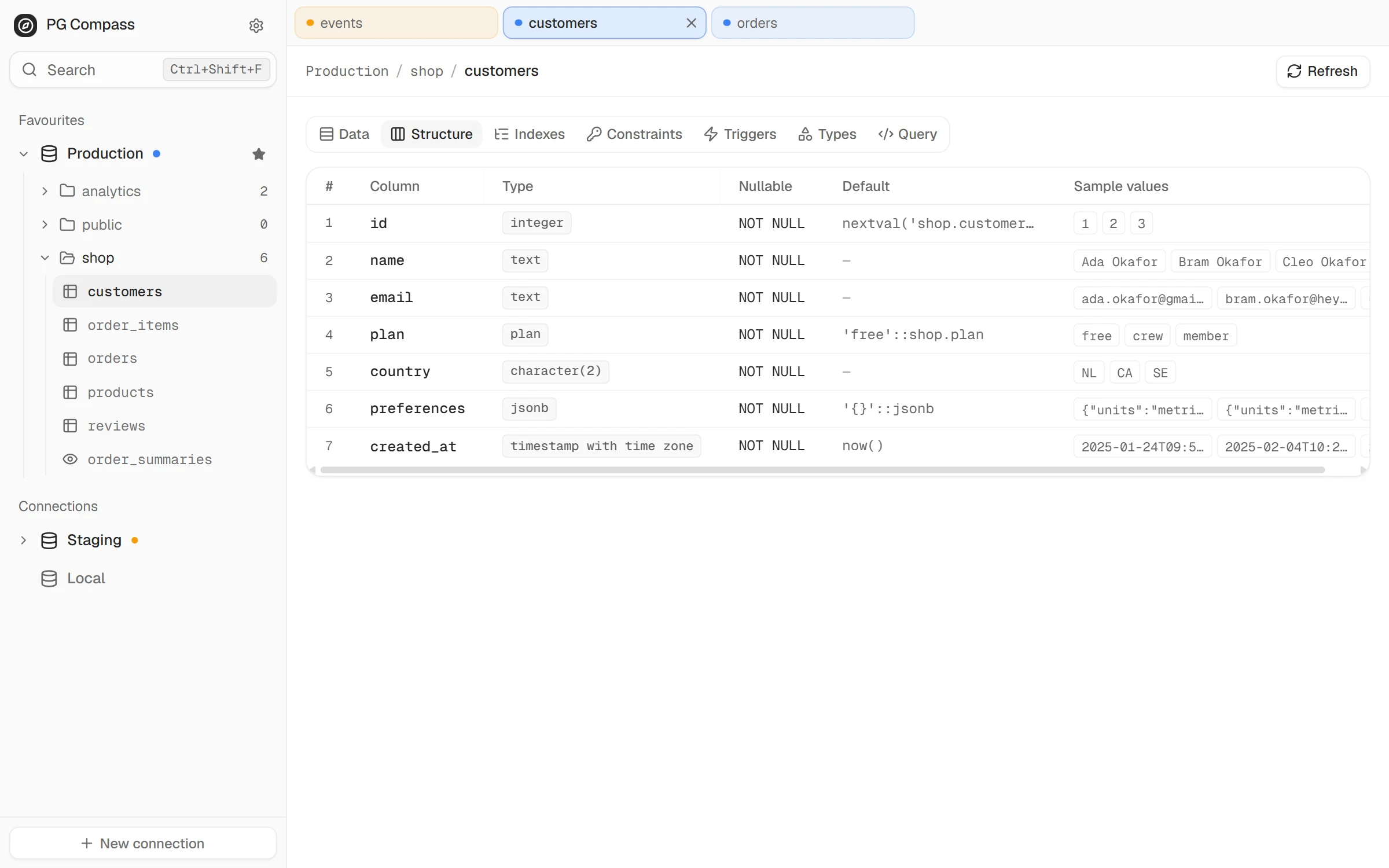
Page through a table 25 to 100 rows at a time. Every column shows its type under its name.
Navigation
Schemas first. Every table one click away.
Connections, schemas, tables and views live in one tree. Save a connection with a URI or separate fields, give it a label and a colour, and star the ones you open every day.
Tabs keep their connection's colour, so a production tab never looks like a staging one.
| Column | Type | Nullable |
|---|
Data
Rows or documents. Your call.
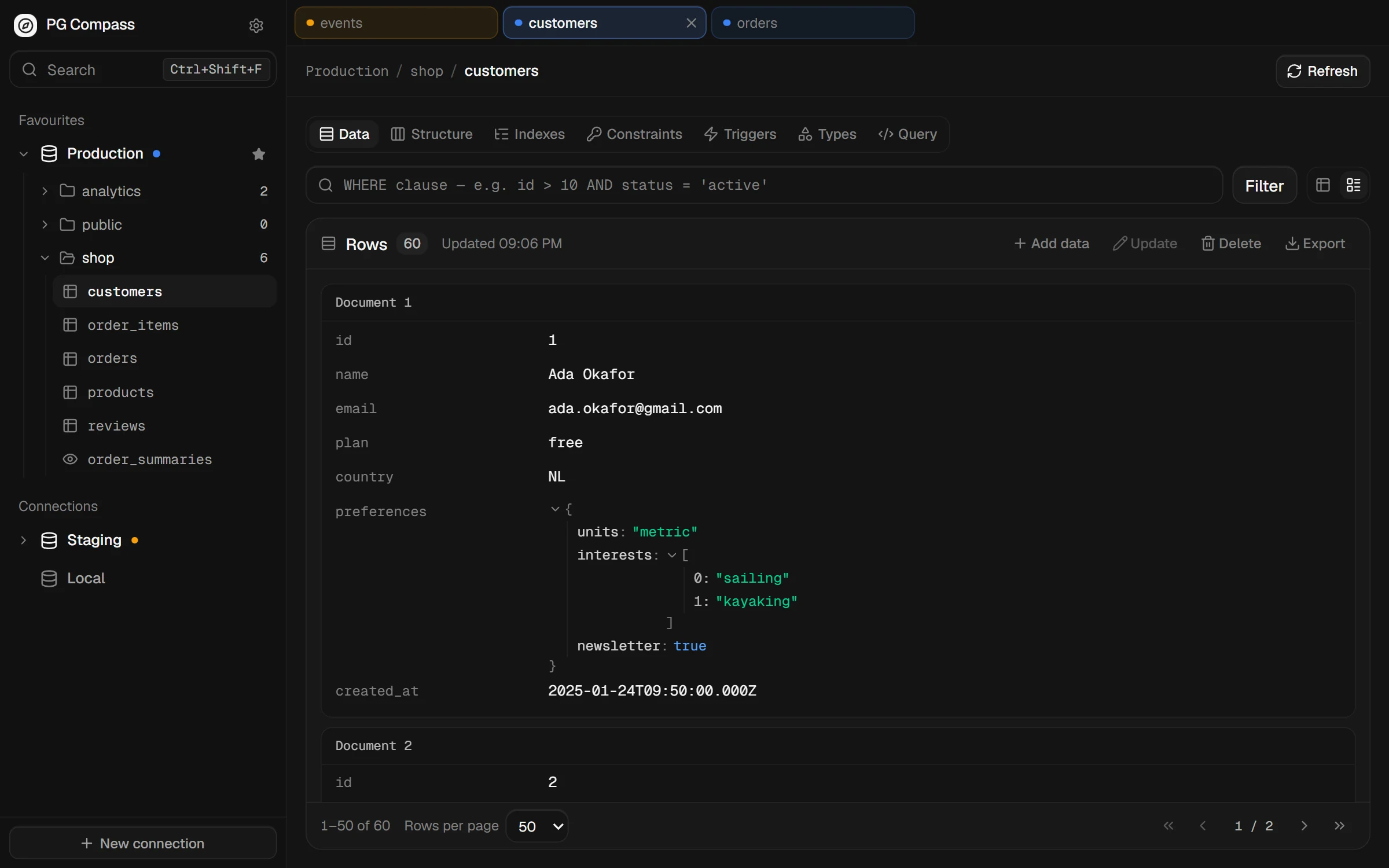
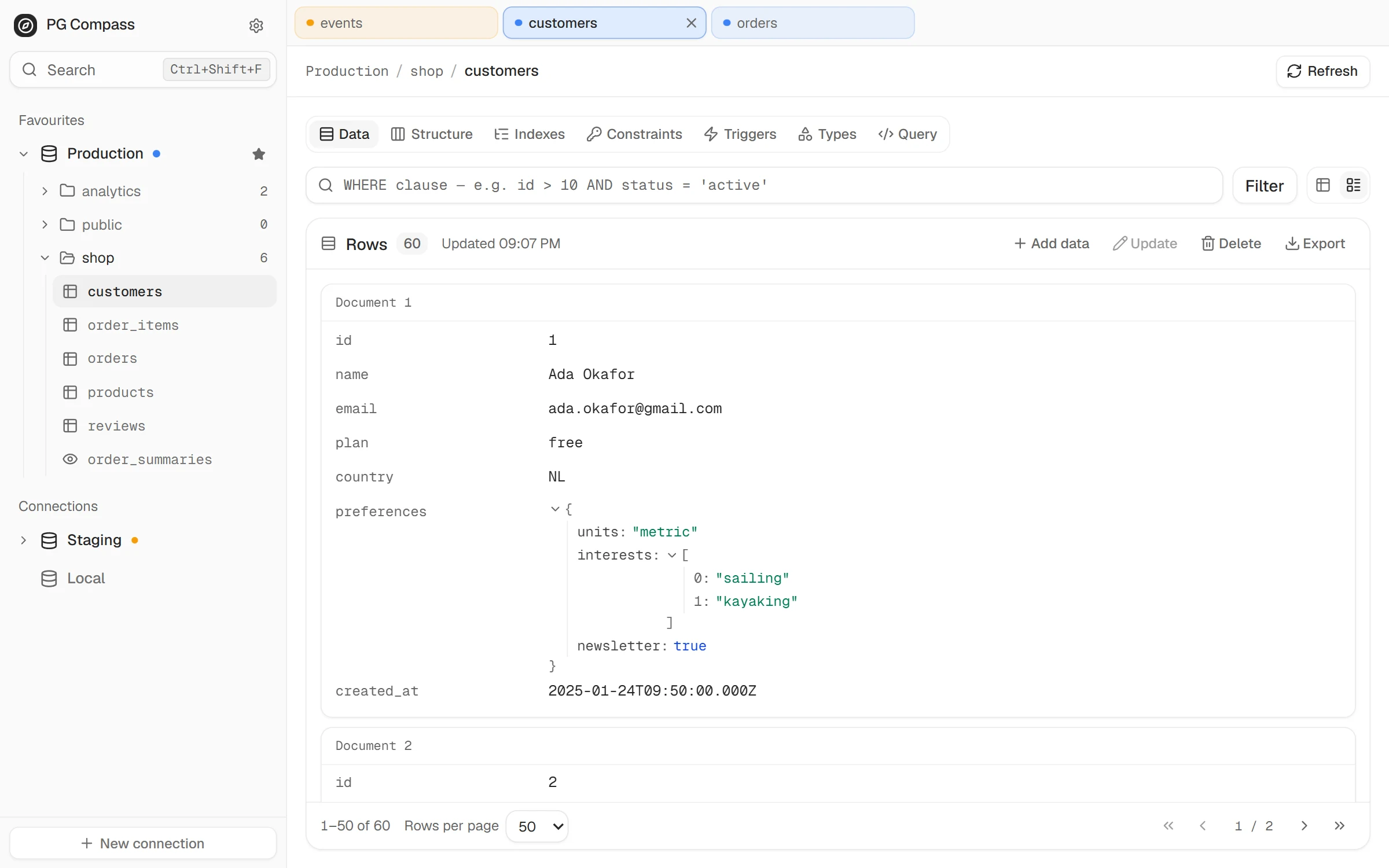
Page through a table 25 to 100 rows at a time and filter with a plain WHERE clause. When a table is mostly JSONB, switch to card view and read each row as a document.
Double-click a cell to edit it, or insert, update and delete rows with a preview first.
| id int4 | customer text | status order_status | total numeric | placed_at timestamptz |
|---|---|---|---|---|
| 1 | Ada Okafor | delivered | 61.13 | 2026-09-26 18:30 |
| 2 | Hugo Okafor | shipped | 98.26 | 2026-09-26 17:03 |
| 3 | Cleo Lindqvist | paid | 135.39 | 2026-09-26 15:36 |
| 4 | Jonas Lindqvist | delivered | 172.52 | 2026-09-26 14:09 |
| 5 | Elif Moreau | pending | 209.65 | 2026-09-26 12:42 |
| 6 | Greta Tanaka | delivered | 246.78 | 2026-09-26 11:15 |
| 7 | Ines Reyes | refunded | 283.91 | 2026-09-26 09:48 |
- customer
- Ada Okafor
- status
- delivered
- total
- 61.13
- shipping
- { }carrier: "UPS"method: "standard"tracking: "TW007919"
- customer
- Hugo Okafor
- status
- shipped
- total
- 98.26
- shipping
- { }carrier: "PostNL"method: "standard"tracking: "TW015838"
Query
Ask in SQL. Read the answer.
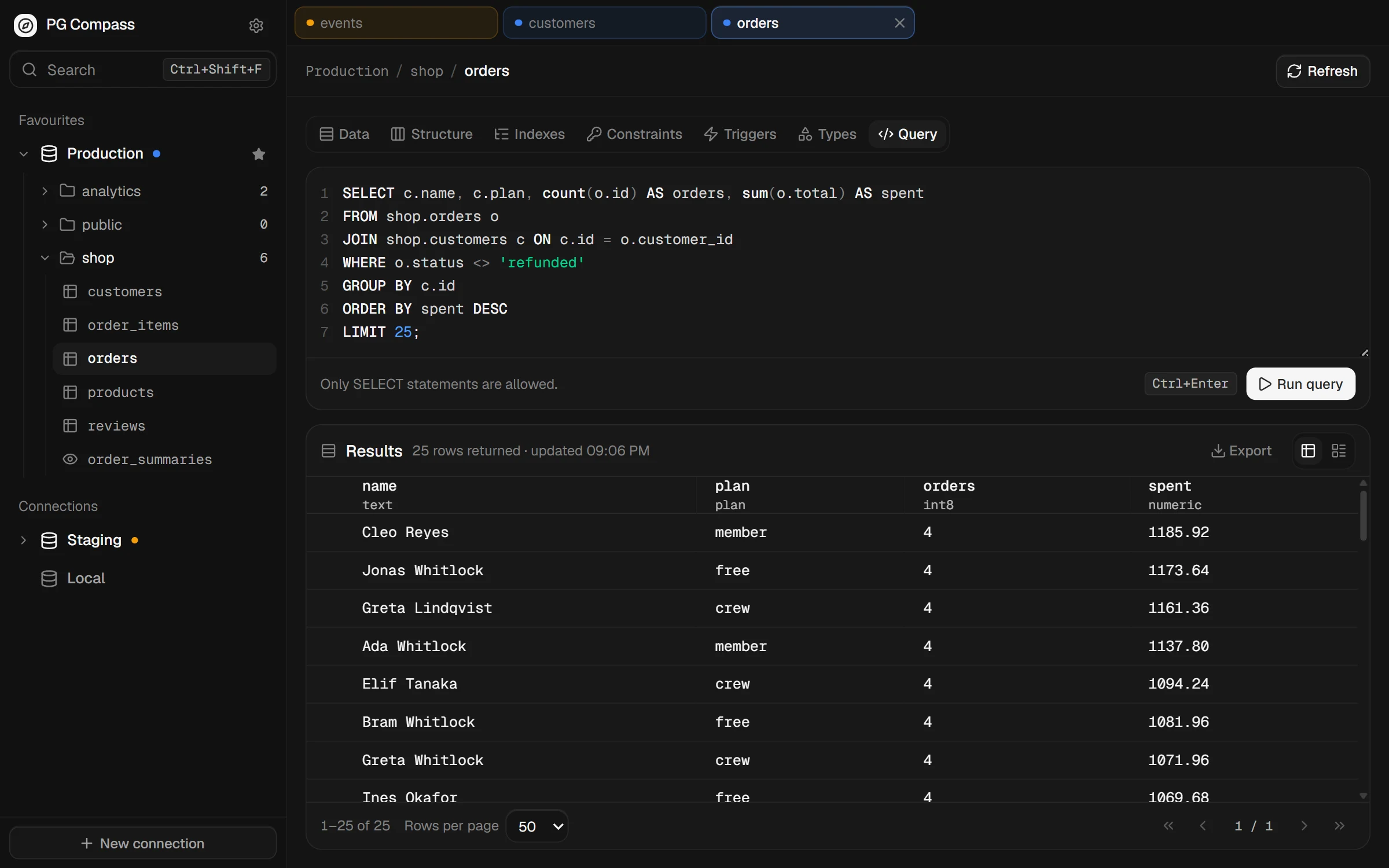
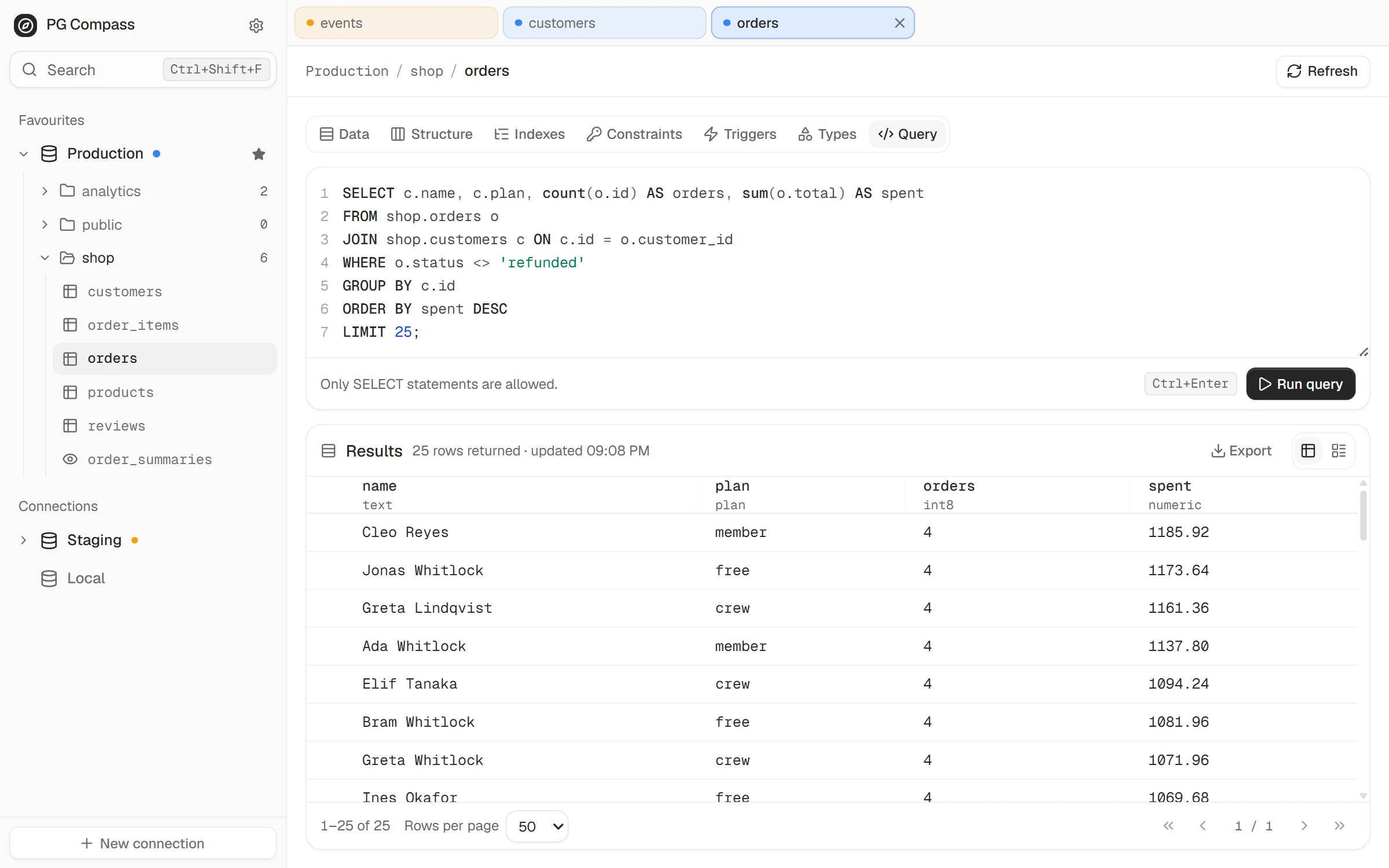
Every table has a Query tab with a highlighted SQL editor. Results land in the same grid, with the same pagination, card view and export.
It only runs SELECT, so a stray DELETE stays in your clipboard.
          1
          SELECT c.name, c.plan, sum(o.total) AS spent

          2
          FROM shop.orders o

          3
          JOIN shop.customers c ON c.id = o.customer_id

          4
          WHERE o.status <> 'refunded'

          5
          GROUP BY c.id

          6
          ORDER BY spent DESC

          7
          LIMIT 4;
Press Run query or Ctrl+Enter to see the results.
| name | plan | spent |
|---|---|---|
| Cleo Reyes | member | 1185.92 |
| Jonas Whitlock | free | 1173.64 |
| Greta Lindqvist | crew | 1161.36 |
| Ada Whitlock | member | 1137.80 |
Appearance
Dark by default. Light when the sun is out.
Both themes are built from the same translucent layers, so panels, tables and dialogs read the same in either. Follow your system if you'd rather not choose, and pick compact or comfortable rows to suit your screen.
Drag the handle, or focus it and use the arrow keys.
Also in the box
The small things you reach for every day.
Six views per table.
Data, Structure, Indexes, Constraints, Triggers and Types sit side by side in one tab.
Export and import.
Export a table or a query's results as CSV or JSON, or dump it as SQL. Import rows from CSV or JSON.
Extension-aware.
pgvector embeddings and PostGIS geometry render as values you can read, not binary blobs.
Read-only when it counts.
Turn on read-only mode and edits disappear from the UI. Write requests are refused outright.
SSL and SSH tunnels.
Connect through a bastion host, or verify the server with your own CA certificate.
Keyboard friendly.
Switch tabs, refresh a view, search the sidebar and run a query without reaching for the mouse.
Download
Get the latest release.
Builds are published to GitHub releases for Windows and Linux, straight from CI. There's no macOS build yet.
- Windows installer Windows 10 and 11, 64-bit. Installs per user and keeps itself in the Start menu.
- Linux AppImage Runs on most distributions. Make it executable and open it, no install step.
- Linux .deb package For Debian, Ubuntu and friends. Adds PG Compass to your application menu.
- Build from source Node.js 20 and pnpm. Clone, install, and run pnpm dev.
Before you get started.
The questions people ask first.
Does it replace pgAdmin or DataGrip?
No, and it isn't trying to. PG Compass covers browsing, reading, light editing and quick queries. Migrations, schema design, stored procedures and backups are out of scope, and they'll stay that way.
Can it change my data?
Only when you ask it to. You can edit a cell, insert rows, and run bulk updates or deletes, which show a preview of the affected rows first. The Query tab only runs SELECT. Turn on read-only mode and the app refuses every write.
Where are my connection details stored?
On your machine. Passwords are encrypted with your operating system's credential store when one is available, and they never leave your computer except to reach your database.
Does it collect any data?
No. There's no account, no analytics and no telemetry. Apart from the databases you connect to, the only network traffic is an update check against GitHub every few hours. It carries nothing about your databases, and you can turn it off in Settings.
Which platforms are supported?
Windows, and Linux through an AppImage or a .deb package. Windows installs update themselves, and on Linux the app tells you when a new version is out. There's no macOS build yet.
What does it cost?
Nothing. PG Compass is MIT licensed, with no paid tier and no features held back for one.
Read the licenseOpen source
Built in the open. Read every line.
PG Compass is MIT licensed and developed in public. The code you download is the code on GitHub. Read it, file an issue, or send a pull request.
Contributors
Thank you to everyone who has sent a fix, a feature or a bug report.
Open a database. Look around.
It takes a connection string and about a minute.